
For institutes
One roster for every student and licence
Add one learner or a full intake, set the exam target, and see who has active, invited or ended access.
Step 1 of 6
Choose a licence and add the learner.
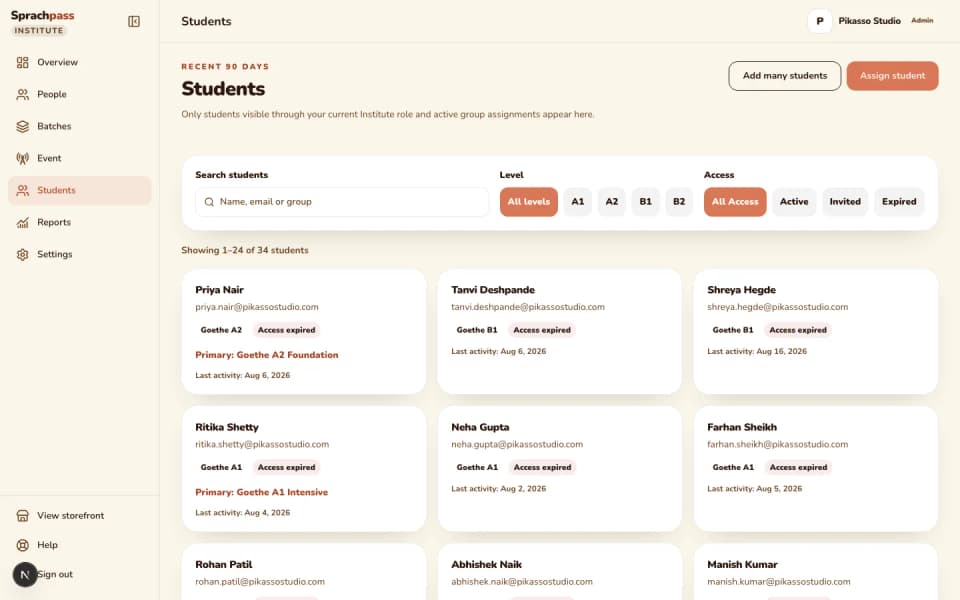
Open Students, choose Add student, and enter the learner's name and email. The preview shows the exact date the licence will end before you confirm, so the month is never a surprise.
Step 2 of 6
Or paste a whole intake.
Paste up to 100 lines of email, name and level from your own list, one student per line. The workspace checks every line, flags a wrong email or a missing level, and tells you if the intake needs more licences than you hold.
Step 3 of 6
Set the board and level.
The institute sets the board and level the learner is preparing for, Goethe or telc, A1 to B2. The student confirms it once inside their seat and it is locked on their side; only the institute changes it, from the student sheet, and the change is recorded.
Step 4 of 6
Place the learner in a batch and send the invite.
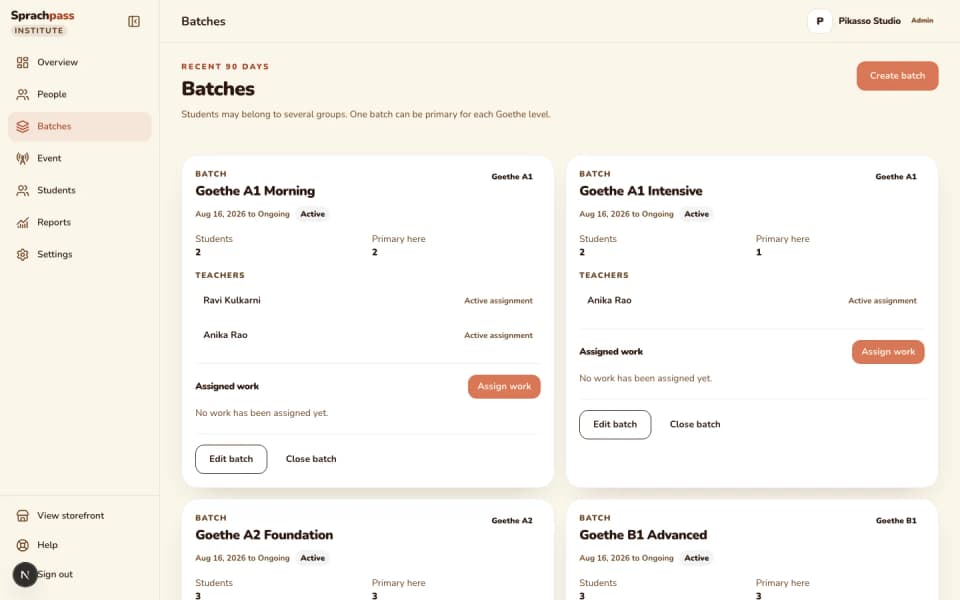
Put the student in the batch for their level and send the invite. The student opens the one-time link, sets a password, and later visits start at your institute's own Sprachpass subdomain.
Step 5 of 6
Read the student sheet.
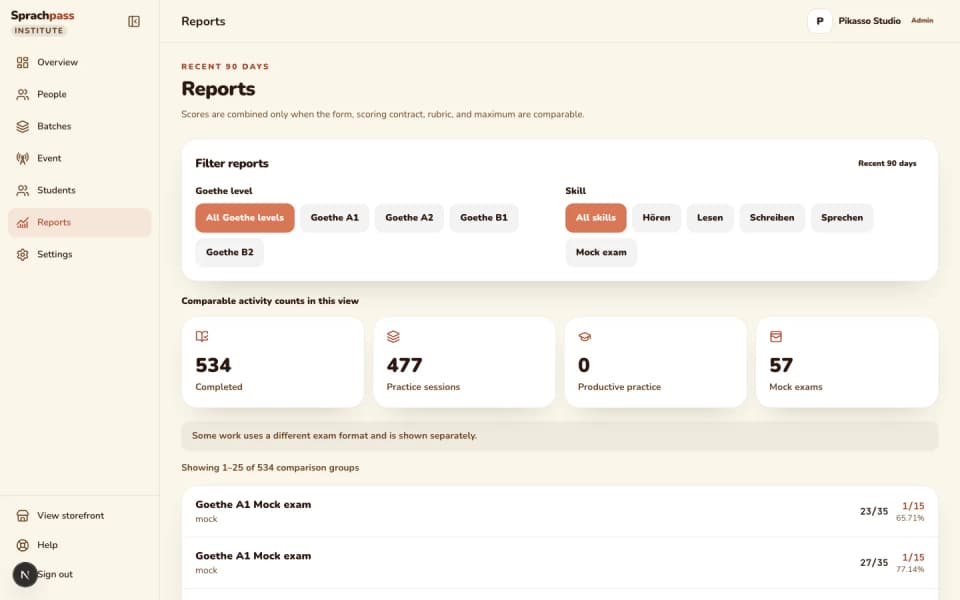
One sheet per learner: access until, devices in use, the grading and mock meters, in-progress work, and the last 90 days of practice runs, graded tasks and mock exams. Open any run to see each question and the answer the student picked.
Step 6 of 6
Renew, or end access when the course is over.
Renew from the sheet and the end date extends from where it was. End access and the seat frees for the next learner while the student's history stays readable in the institute view.
How it runs, step by step
Step 1 of 6: Choose a licence and add the learner.
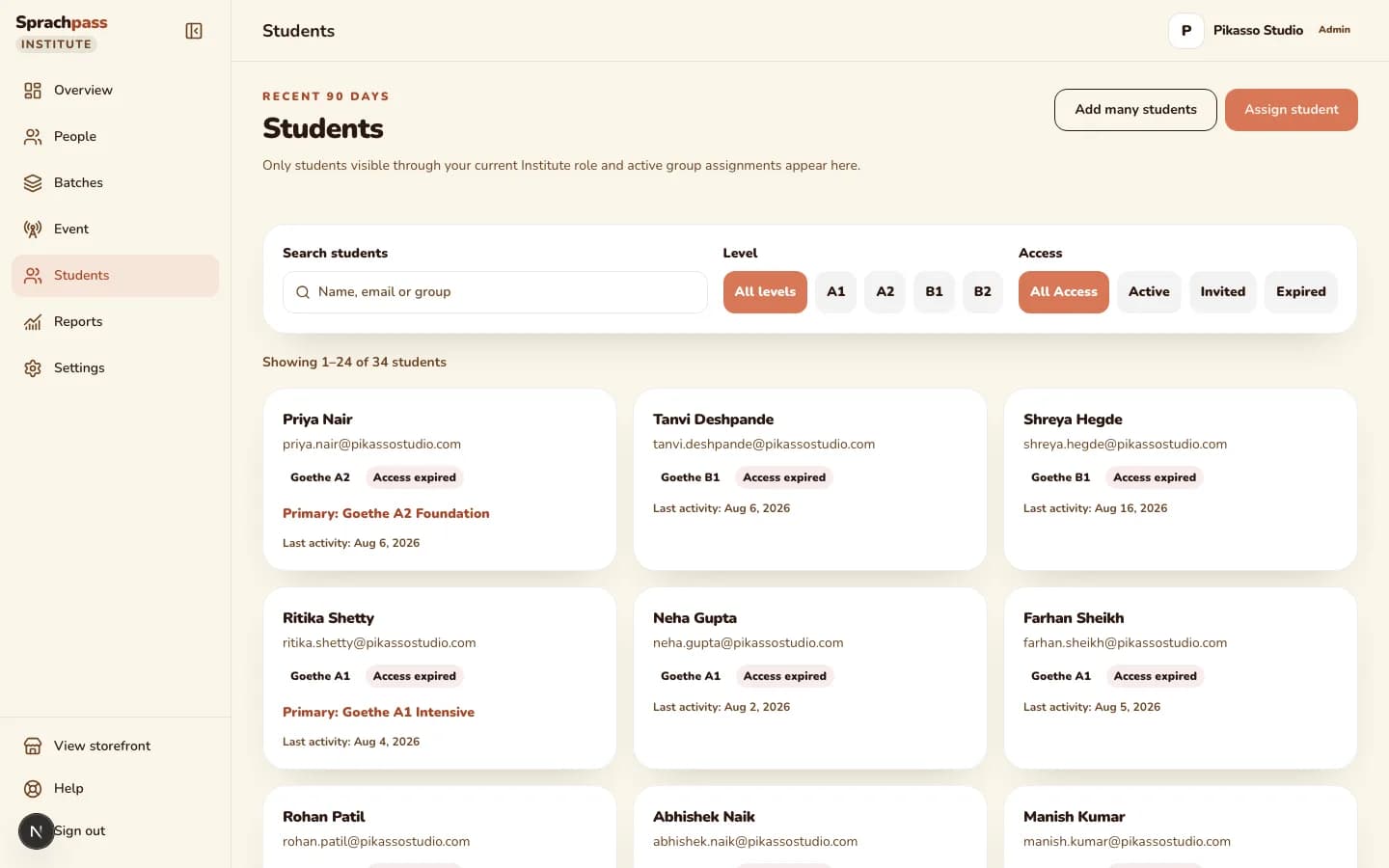
A licence is one student, one email and one month of the whole practice product. The roster is where you assign it, renew it, and see what each student has done with it.
The problem and the outcome

The problem an owner has.
Student names live in a spreadsheet, access lives in a chat thread, and nobody knows which learners are still active. When a licence runs out, the first person to notice is the student, and the first question is who was supposed to renew it.

What changes with the roster.
Every student is one row with a licence state, an exam target, a primary batch and an access-until date. You search by name, email or group, filter by level and access state, and open the learner to see their practice, mock results and every question they got right or wrong.
The questions that get slow in a spreadsheet
| The question | In a spreadsheet | With the roster |
|---|---|---|
| Who still has access this week? | Someone counts rows and checks a chat thread for renewals | Filter by access state: active, invited or ended, with the exact end date on each row |
| Which students are preparing for Goethe B1? | A level column that somebody typed by hand and nobody updates | The exam target on each seat, confirmed by the student once and changed only by the institute |
| Did this learner ever open the invite? | Ask the student, wait for the reply | The roster shows invited, active or ended, and the sheet shows the last activity |
| Which student has done nothing since Monday? | Nobody knows until the class meets | The student sheet lists practice runs, graded tasks and mocks from the last 90 days |
Who can do what
What each role can do with students
| capability | Owner | Admin | Teacher | Student |
|---|---|---|---|---|
| See the whole roster | yes | yes | assigned batches only | own seat only |
| Add a student and assign a licence | yes | yes | no | no |
| Paste a whole intake | yes | yes | no | no |
| Set the board and level at assignment | yes | yes | no | confirms once, then locked |
| Change a student's level later | yes | no, owner only | no | no |
| Renew a licence | yes | yes | no | no |
| Cancel a pending invite or end access | yes | yes | no | no |
| Resend an invite or reset a student's devices | yes | no, owner only | no | no |
| Open a student's runs and per-question review | all students | all students | assigned students only | own work |
| See licence purchases and inventory | yes | no | no | no |
Licences and limits
Licences, seats, allowances
Refunds: only on licences that were never assigned, within 30 days. A student's seat is tied to one email and is not transferable.
Limits and licences
| Rule | What it means |
|---|---|
| One licence covers | One student, one email, one month of the whole practice product for their board and level |
| Assignment | By email, to one student; the licence runs one month from the day you assign it and the end date is shown before you confirm |
| Renewal | Assign another licence to the same student and the end date extends from the current one, so renewing early loses nothing |
| Unassigned licences | Keep for one year; refundable within 30 days while still unassigned |
| Exam target | Set by the institute; the student confirms it once and it is locked on their side, so a seat cannot drift between levels |
| Devices and sessions | Two live devices for each student and one active session; a sign-in on a new device signs the old one out, and the institute can reset the devices |
| Ending access | Immediate; the seat frees for reuse, the student's portal sign-in stops with a plain access-ended message, and every past run stays on the sheet |
| Invites | One-time links; a pending invite can be resent or cancelled, and a forgot-password request on an unopened invite sends the invite again |
| Caps on students | None beyond the licences you hold; the roster shows how many seats are active, invited or ended |
Coming next
What is on the way, honestly
CSV export.
The roster and the student sheet are read on screen. Exporting the roster or a student's history to a file is not part of the current release.
Goethe B2 batches.
A student can be licensed for Goethe B2 or telc B2 today. A batch can carry A1, A2 or B1 as its target, so B2 learners are placed by seat until B2 batches arrive.

Homework and assignments beyond exam practice.
Today you assign Hören and Lesen practice runs and mock exams. Uploaded homework, submissions and due-date tracking are on the institute roadmap.
A learning month before the exam month.
The roadmap adds a learning journey on your own course content ahead of exam preparation. Until then, the seat covers exam practice and mocks.
Other modules
The rest of the institute cockpit
Questions
What owners ask before registering
Does a student need a Google account or an app?
No, each student opens the invite link, sets a password and practises in the browser on any phone or laptop. There is no Google sign-in on the institute portal.
What happens when a licence ends?
The student's portal shows a plain access-ended message and asks them to contact your institute. Nothing is deleted; renew the seat and they continue where they left off.
Can I move a licence from one student to another?
No, a licence is tied to the email it was assigned to. Ending a student's access frees the seat for a new licence, but the used month is not transferred.
What if a student picked the wrong level?
Open the student sheet and use Change level. The student cannot change it themselves once confirmed, so the fix always goes through the institute and is recorded.
A student says the app signed them out. Why?
One seat has one active session and two live devices. A sign-in on a new device signs the previous one out with a plain message; if a student has changed phones twice, reset their devices from the sheet.
Can I add students before my workspace is approved?
No, onboarding is approval-gated: you register, confirm your email, and a person reviews the application before the workspace goes live. Licences and students come after approval.
Do students see Sprachpass retail plans?
No. Institute students enter through your branded portal and never see retail plans, upgrade prompts or Sprachpass marketing emails.
Continue
Sources: Sprachpass decision log, the institute licence and cockpit spec, and the workspace code.
All sources
- DECISIONS.md, 2026-08-04 (business landings carry no pricing) and 2026-08-29 (page bodies still show no prices; the shared header and footer may link to Pricing) (DECISIONS.md)
- DECISIONS.md, 2026-07-15: partner program model (one-month licence from assignment, stacking renewals, one-year shelf life, refunds on unassigned licences within 30 days, approval-gated onboarding) (DECISIONS.md)
- DECISIONS.md, 2026-07-22: level lock and one session per seat (DECISIONS.md)
- DECISIONS.md, 2026-08-28: ending student access keeps history and frees the seat, staff are notified when added, forgot-password re-sends a pending invite (DECISIONS.md)
- Institute licence and partner student-analytics cockpit spec (25 scored tasks a day, 4 mocks per ISO week) (docs/superpowers/specs/2026-08-03-institute-license-and-analytics.md)
- Seat usage caps (25 scored tasks per day, 4 mocks per ISO week) (src/lib/partners/usage.ts)
- Institute role capabilities (src/lib/partners/capabilities.ts)
- Two live devices per seat (supabase/migrations/20260828100000_harden_partner_device_registration_lifecycle.sql)
- Bulk student add: paste up to 100 lines of email, name and level (src/lib/partners/bulk-student-add.ts)
- Institute staff and student mutations: staff invite or added notice, cancel invite, end access, assignment cancel (src/lib/partners/institute-mutations.server.ts)
- Institute progress report: 90-day window, per-comparison-group totals, pending grading items, empty-state reason (src/lib/partners/progress/contracts.ts)
- Tenant access-ended screen: work stays saved, renewal goes through the institute, no checkout on tenant surfaces (src/app/(en)/t/expired/page.tsx)
- Owner-only workspace routes today: settings and branding, invite resend, device reset, level change (src/lib/partners/owner.ts)
Ready for your first batch
Put your next intake on one roster.
Register your institute, add the licences you need, and paste your student list the day your workspace is approved.